Clear week-by-week
Show availability on a week-by-week basis with a simple status—available or booked—and the cost of that week.
book-a-week is an availability calendar for independent holiday homes, self-catering apartments, and accommodation owners who offer weekly bookings via their own website. Small but perfectly formed: simplicity in setup and editing, clarity for guests.
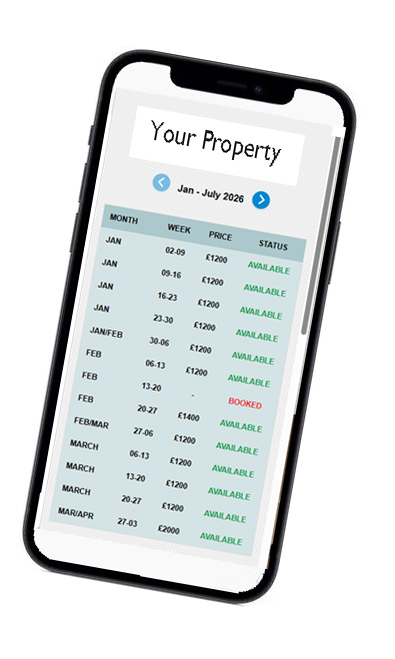
Show availability on a week-by-week basis with a simple status—available or booked—and the cost of that week.
Choose the weekly start day that suits your changeover—Friday to Friday, Saturday to Saturday, Sunday to Sunday, or another weekly start.
Add a simple link like See Pricing & Availability or place a button where guests expect it.
book-a-week focuses on essentials: simplicity in setup and editing, and clarity for users. No bloat—just the tools you need to manage weekly bookings on your own site.
Yes—set Friday, Saturday or Sunday (or another weekly start) so your calendar can be Friday-to-Friday, Saturday-to-Saturday, etc.
Yes. book-a-week is designed to fit seamlessly into any site. Add a simple link like “See Pricing & Availability”.
A clean week-by-week view showing availability (available/booked) and the price for that week.
Very. It’s small but perfectly formed—quick to set up, simple to edit, and focused on clarity.
Have questions or want to get started with book-a-week? We’d love to help.